

Database recovery on your terms.
Automate encrypted backups and recover to a point in time. Run VaultDBM on your infrastructure and retain control of your keys and storage.
Published release v1.4.2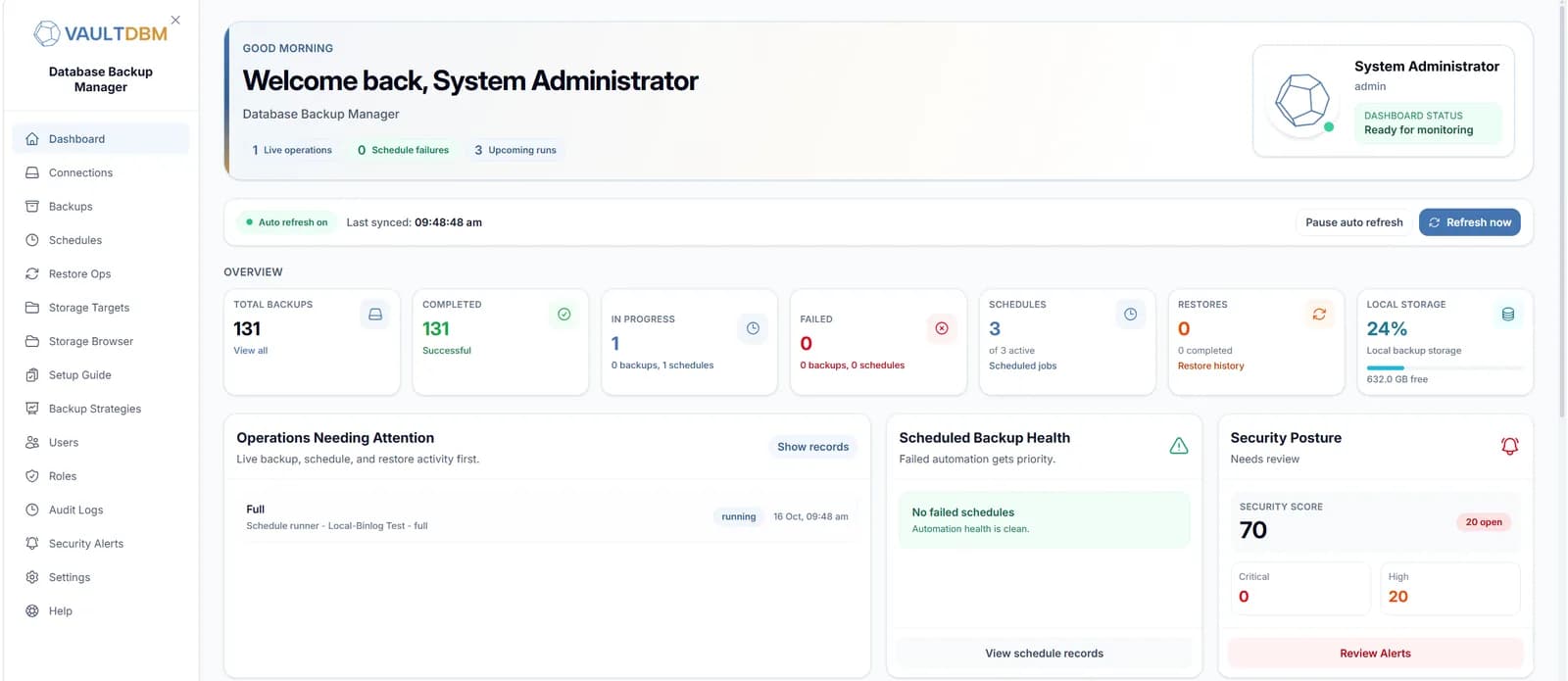
Database connections
- MySQL
- PostgreSQL
- Microsoft SQL Server
- MariaDB
- Oracle
- MongoDB
Review the restore before you run it.
Choose the source, destination, and recovery method. When point-in-time recovery is available, select a target time and review the restore plan before starting.
Choose from six recovery paths using full backups, differential backups, point-in-time recovery, or supported combinations.
Read the recovery guide- Choose the backupSelect the database and backup archive.
- Set the recovery pointChoose a restore method and a target time where supported.
- Review the planConfirm the backup chain and destination before starting.
Follow the backup from database to storage.
Production databases
Run scheduled live snapshots. Archive PostgreSQL WAL or MySQL and MariaDB binlogs for supported recovery workflows.
VaultDBM on your infrastructure
Run on Linux or Windows Server. Compress and encrypt backup archives with AES-256-GCM before transmission.
Storage you choose
Stream to cloud or private storage without staging the full archive on local disk. Configure retention for each backup policy.
Guided recovery
Select available snapshots and transaction logs, check archive integrity, and review the destination before restoring.
Storage options include Amazon S3 and compatible endpoints such as Cloudflare R2, Google Cloud Storage, Azure Blob, and private targets such as SFTP, NFS, SMB, and iSCSI.
View deployment requirementsDatabase and storage compatibility
Backup capabilities vary by database. Compare coverage by engine.
Database connections
- MySQL
- PostgreSQL
- Microsoft SQL Server
- MariaDB
- Oracle
- MongoDB
- Percona Server
Storage destinations
- Amazon S3
- Google Cloud Storage
- Azure Blob
- Remote SFTP
- NFS / Local NAS
- SMB / CIFS
- iSCSI Arrays
Product names and logos belong to their respective owners and are shown to identify compatibility.
Inside the Real Production Engine
Explore backup scheduling, encrypted storage, and point-in-time recovery where supported.
Database Connections
Create and manage your database connection configurations with live latency testing, ERD visualizer, and SQL console.
TOTAL CONNECTIONS
4
ACTIVE
4
CONNECTED
4
FAILED
0
| Connection Name | Type | Host | Backups | Status | Actions |
|---|---|---|---|---|---|
| Production-Primary-ClusterPrimary transactional workload | MySQL 8.4 Enterprise | mysql-cluster-01.internal:3306 | 131 archives | ✓ Connected | |
| Billing-Analytics-WarehouseHigh-volume analytical data store | PostgreSQL 16 HA | pg-analytics.internal:5432 | 48 archives | ✓ Connected | |
| Enterprise-ERP-CoreMission-critical enterprise financials | Microsoft SQL Server 2022 | mssql-erp.internal:1433 | 32 archives | ✓ Connected | |
| Global-Identity-AuthMulti-region distributed authentication | MariaDB Galera 10.11 | mariadb-auth.internal:3306 | 16 archives | ✓ Connected |
Your team holds the keys.
VaultDBM encrypts backups before transfer. Your team keeps the encryption keys and needs them to restore encrypted archives.
The documentation covers recovery-key handling and reverse proxy hardening, including automated blocking after repeated failed sign-in attempts.
Security and recovery controls
Customer-held keys
Manage the keys used to encrypt and restore AES-256-GCM backup archives on your own infrastructure.
Deployment hardening
Review reverse proxy configuration and controls for repeated failed sign-in attempts.
Recovery validation
Review your restore plan and test recovery using a representative workload and backup chain.
Tools for backup and recovery operations.
Back up live databases
Schedule hot snapshots using the backup method supported by your database engine.
Recover to a point in time
Use archived transaction logs with the appropriate backup chain to recover from a failed migration or an accidental change.
Check the restore plan
Review archive checksums, storage paths, and destination connectivity before starting a restore.
Stream to multiple destinations
Send compressed, encrypted data to supported storage without writing a full staging copy first.
Keep key custody in-house
Manage encryption and recovery keys on your own infrastructure.
Protect console access
Use the documented reverse proxy configuration and automated temporary blocking for repeated failed logins.
Install the VaultDBM agent
curl -fsSL https://vaultdbm.com/install.sh | sudo bash
Resources for your evaluation.
Evaluate VaultDBM on your infrastructure.
No credit card required. Download VaultDBM for Linux or Windows Server.